Discussion, educational technology, Faculty Development, Informal Learning, Personal Learning Networks, Social Media, Twitter

Why Include Twitter in Your Personalized Learning Network (PLN)?

Image by kirstyfields from Pixabay

Signing up for a Twitter account is one of the best things I’ve done for my professional learning. You may be thinking, no way! Especially with the negative attention given to politics on Twitter. However, we just need to be careful who our friends are – or in this case who we choose to follow. Alec Couros, educational technology and media professor and researcher at the University of Regina, Canada, explains it well in the video linked below.

Using Twitter effectively for education – with Alec Couros

In 2010, as an assignment at Arkansas Leadership Academy, I set up my Twitter account and began following educational leaders. I was skeptical at first. Then gradually I started following more and more leaders in education and educational technology, and I began to see the value in using Twitter to connect with educational leaders around the world. Currently, I’m following 2,222 educators, administrators, and researchers. I’m not much of a tweeter myself unless I’m participating in a live Twitter chat. Mostly, I’m a liker and a lurker when I have a few free minutes. I use the “like” feature to sort of bookmark things I find useful or inspiring, and I usually don’t have to lurk for long to find something valuable. This tweet says it nicely. 

Would you like to know more about Twitter for educators? Below are several articles on the topic.

Tiny Bursts of Learning

Edublog: Building Your PLN

Use of Twitter across educational settings: a review of the literature

If you are a Twitter user but haven’t tried Tweetdeck, consider trying it out. It’s great for following several hashtags at once and for participating in fast-moving live chats. 

Reference:

d_mulder (2016, October 23). Teachers on Twitter are the best. Take 5 minutes to read and reflect; what will you learn from your colleagues today? Approach Twitter with a growth mindset, think of it as “I have five minutes…what can I learn today?” [Tweet]. Retrieved from https://twitter.com/d_mulder/status/790298591440936960

Blackboard, Collaboration, Discussion, educational technology, Faculty Development, Instructional Design, Online Learning

Tools for Collaborative Work

Image by Ricarda Mölck from Pixabay

Whether our classes are online or face-to-face, our students can benefit from the use of collaborative tools. Collaborative tools may be used for peer editing, group projects, and class discussions. These tools are great for working synchronously during a class session or asynchronously according to the time each student has available. Using collaborative tools in coursework is good practice for future workplace collaboration. Many tools are easy to use, some require no account setup, and some tools may even be embedded in your Blackboard course. Below are just a few of the many collaborative tools available.

Canva – Canva is an easy-to-use graphic design website. Collaborate on professional-looking infographics, documents, presentations, comic strips, and marketing materials. There is a free version and a paid version, however much can be done with the free version.

Google Docs, Slides, Sheets, & Forms – Many students in K-12 schools use G-Suite tools, so a number of our current and future students are already accustomed to collaborating with these tools – some begin doing so in Kindergarten. The products are user-friendly, so new users can adapt quickly. Collaborators may work simultaneously and see changes in real-time. In Google Docs there is a chat feature, version history, and for peer review, a comments feature. A bonus – student work will be available to the students long after graduation. For collaboration, these need to be shared with the setting “anyone with the link may edit.”

Office 365 products may available to students for free. These documents also may be shared for collaboration. To embed in Blackboard, click File, Share, and Embed. Copy the embed code. Create an item in Blackboard and click on HTML, then paste in the embed code. Those with JBU accounts will be able to edit. Bonus – The ITS Help Desk provides support for these tools. 

Padlet – Create attractive collaborative boards, documents, and web pages. Students may create them, collaborate, and share. Or the instructor may create them and embed them in Blackboard for everyone to contribute to. Text, photos, documents, web links, video, and music may be added to the boards. There is a free version and a paid version, however much can be done using the free version.

Zoom – Not only is Zoom for web-conferencing great for synchronous online class sessions or for hosting remote students and guest speakers for face-to-face classes, but Zoom is also great for small group collaboration. Consider using the break-out room feature during online or blended synchronous class sessions or you might use Zoom for small group meetings at the student’s convenience. Zoom allows for sharing documents, web pages, a whiteboard, and slides – perfect for collaborating. Class sessions, meetings, and group presentations may also be recorded, however, recordings are not available for break-out room activities.

These are just a few of the collaborative tools available. Many online applications now have the capability of adding collaborators.

Collaboration, Curation, Discussion, Faculty Development, Instructional Design, Social Media

Critical Thinking Activity: Digital Curation

Image by Silvia from Pixabay

Looking for a learning experience that encourages higher-level thinking? Promotes student voice and choice? Develops media literacy? Collaborative? A digital curation project is something you might consider. 

What is Content Curation?

If you’re new to digital content curation, check out this blog post by Beth Kantor for a quick overview of the topic. Content Curation Primer 

Digital curation is more than simply generating a list of URLs. Digital curation is an opportunity to explore an area of interest while aggregating the best resources available. The resources are organized into a digital collection along with your added insight, and then they can be shared with others. Finding, vetting, and analyzing resources, adding annotations, and creating something new require higher level thinking – Bloom’s analysis, evaluation, and synthesis. For more about digital curation activities for critical thinking, see these articles by Jennifer Gonzalez and L.M. Ungerer.

Digital Curation Examples

As a grad student, I’ve had several digital curation assignments. These were the basic steps involved: 

  • Select a topic
  • Select a digital tool to house the curation
  • Locate and evaluate resources for the curation
  • Organize resources in the curation
  • Add my annotations to each resource
  • Share with the class and with the world
  • Provide feedback on others’ projects
  • Reflect on the experience with a blog post

Scoop.it! is the digital tool that I used for my first curation – a collection of resources called 3 Types of Interaction in Online Courses. I collected resources that included Student-Student, Student-Instructor, or Student Content interactions in online courses. Each resource that I included has my brief annotation and is coded with SS, SC, SI for each type of interaction.

Pearltrees is the tool that I chose for my second digital curation titled Teaching with Social Media in Higher Education. This is a collection of how instructors have used social media for teaching in higher education. Next to each resource is my brief insight. Each of these projects was shared with my classmates for feedback and shared via social media. Final reflections on the projects were shared in blog posts.

Digital Curation Tools

Documents, slides, and spreadsheets can be used for curation, value-added annotation, and sharing. In addition, there are many other free digital curation tools available. Blogs, webpages, and social media are also valuable resources for curation activities.

If you are considering digital curation as a critical thinking activity for students and are looking for more information, tools, and ideas for doing so, see the articles listed below. 

Gonzalez, J. (2017, April 15) To boost higher-order thinking, try curation.[web log] Retrieved from https://www.cultofpedagogy.com/curation/
Ungerer, L. M. (2016). Digital Curation as a Core Competency in Current Learning and Literacy: A Higher Education Perspective. The International Review of Research in Open and Distributed Learning, 17(5). https://doi.org/10.19173/irrodl.v17i5.2566

Discussion, Instructional Design, Online Learning, social presence

Discussion Boards for Thoughtful and Powerful Discussions

Every student has a voice, however, for any number of reasons some students find it easier than others to share their voice in a group setting or on the spot. Some students just need the opportunity to ponder their thoughts a bit before broadcasting them to the group. As a result, sometimes these students take a back seat in class discussions. How can we make discussions more accessible? 

One solution is to use discussion boards to facilitate some online discussions in addition to regular classroom discussions. Discussion boards give everyone a chance to speak, and they give everyone the opportunity to be heard. With more time to prepare a response and with more students responding, this can yield a more thoughtful and powerful discussion. 

Discussion boards can be used for simple conversations responding to a question, or students may be asked to post projects or scholarly writing that require feedback from peers. Video discussions are another possibility, with students creating videos and providing feedback to each other. Blackboard’s discussion board is easy to set up and easy for students to use. In addition, there are some free apps such as Flipgrid that are also nice for video discussion and can easily be embedded in Blackboard. 

As we begin making plans for next fall, the first classroom activity that comes to mind is usually class introductions. Discussion boards provide time and space for everyone to share and to begin building a learning community. There are many ways to use discussion boards in our classrooms and online classes. For more discussion on discussion boards, read here.

Discussion, Gamification, Instructional Design, Online Learning

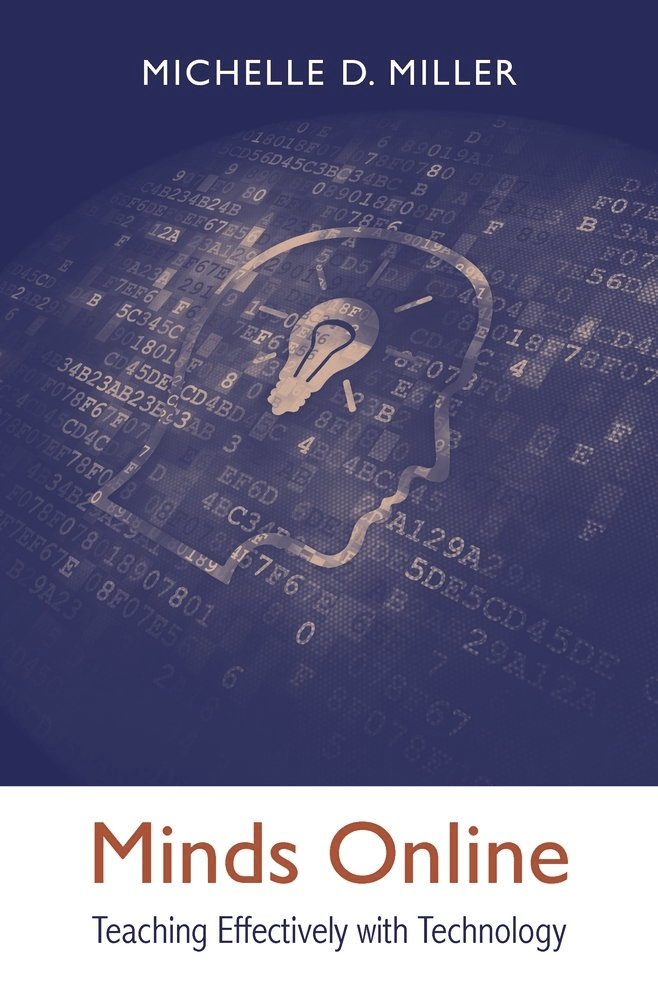
Minds Online Review

Book Review – Minds online: Teaching effectively with technology

Author: Michelle D. Miller (2014). Cambridge, Massachusetts, 279 pp., ISBN: 978-0-674-36824-8

Reviewer: Kim S. Johnson, John Brown University, Siloam Springs, Arkansas, USA

Designing engaging and effective learning experiences and learning environments is a goal for educators and instructional designers. Due to recent advancements in educational technology and in cognitive psychology, students – and in this case online students – can be provided with learning experiences supported by knowledge of how the brain functions, thus promoting better learning. First, a case is made for online learning and its promise for effective learning. Then the focus shifts to cognition, particularly attention, memory, and thinking. A deep dive into each of these topics yields specific strategies for online teaching and learning. Multimedia theory and principles are examined and are followed by strategies for keeping students motivated. The final chapter pulls all of these elements together with examples for designing a course based on research. 

As an instructional designer, online instructor, and online student, I’ve found this book to be a valuable resource. My purpose here is to provide a review to share this book with others involved in distance learning. Provided here is an overview of the book’s content, my reaction, and recommendation.

Dr. Miller is Professor of Psychological Sciences and President’s Distinguished Teaching Fellow and at Northern Arizona University. She is also serves as Director of First Year Learning Initiative. It is a program focused on the redesign of lower level core courses to improve engagement, effectiveness, and retention. Dr. Miller’s background is in cognitive psychology, with research interests including memory, attention, and most currently, course design for effective learning experiences based on brain science.

The purpose of the book is to examine the use of educational technology along with cognitive psychology, providing practical applications for successful online teaching with technology in higher education. Though the focus is on online learning, most of the best practices are applicable to face-to-face learning as well. The author puts forth the argument that advancements in educational technology and cognitive psychology can be utilized in designing instruction that maximizes student success. 

The book consists of nine chapters which include:

  • Is Online Learning Here to Stay?
  • Online Learning: Does It Work?
  • The Psychology of Computing
  • Attention
  • Memory
  • Thinking
  • Incorporating Multimedia Effectively
  • Motivating Students
  • Putting It All Together

The book organized into three basic sections. The first section addresses foundations of online learning in higher education and addresses some common questions regarding topics such as comparing the effectiveness of online and face-to-face teaching and learning, cheating, and effects of technology use. The second section focuses on topics regarding cognition. The author provides examples and resources for psychological tests or demonstrations that support her claims in chapters on cognition.  The final section includes practical applications for teaching with technology that is supported by brain science. Resources such as websites or databases are shared for most types of activities described.

Information presented was published in 2014 and was written with the purpose of providing relevant information using current technology and research in designing effective learning. Major strengths of the book include its organization, clarity, and readability. Other strengths include the research, number of examples, and resources provided throughout the book. 

As far as weaknesses, none are noted. A digital resource would be a nice addition to the book. Perhaps including some printable resources such as the Reading Matrix, Multimedia Principles within the digital resource would be helpful. The book is a significant contribution to theory, research, and best practices in distance learning.  

A valuable resource to educators and instructional designers, it is one that I would highly recommend. It will be a treasured resource that I revisit often since it is packed with reliable information that supports online and blended learning. Included are research-based strategies, examples, ideas, and resources. Myths are debunked. Online learning strategies tied to attention, memory, and thinking are provided, and detailed sections on accessibility and gamification are included.

In addition, a multitude of resources such as databases and websites for activities such as project-based learning ideas, case studies, and tools. The sections on motivation and incorporating multimedia provided numerous tips. In the final chapter, the author provides questions, principles, tools and techniques for each element of course design to guide in planning a course. Also included is a fully-developed syllabus including foundational cognitive support for the design. So much is packed into this useful book!