Signing up for a Twitter account is one of the best things I’ve done for my professional learning. You may be thinking, no way! Especially with the negative attention given to politics on Twitter. However, we just need to be careful who our friends are – or in this case who we choose to follow. Alec Couros, educational technology and media professor and researcher at the University of Regina, Canada, explains it well in the video linked below.
In 2010, as an assignment at Arkansas Leadership Academy, I set up my Twitter account and began following educational leaders. I was skeptical at first. Then gradually I started following more and more leaders in education and educational technology, and I began to see the value in using Twitter to connect with educational leaders around the world. Currently, I’m following 2,222 educators, administrators, and researchers. I’m not much of a tweeter myself unless I’m participating in a live Twitter chat. Mostly, I’m a liker and a lurker when I have a few free minutes. I use the “like” feature to sort of bookmark things I find useful or inspiring, and I usually don’t have to lurk for long to find something valuable. This tweet says it nicely.
Would you like to know more about Twitter for educators? Below are several articles on the topic.
If you are a Twitter user but haven’t tried Tweetdeck, consider trying it out. It’s great for following several hashtags at once and for participating in fast-moving live chats.
Reference:
d_mulder (2016, October 23). Teachers on Twitter are the best. Take 5 minutes to read and reflect; what will you learn from your colleagues today? Approach Twitter with a growth mindset, think of it as “I have five minutes…what can I learn today?” [Tweet]. Retrieved from https://twitter.com/d_mulder/status/790298591440936960
There’s a lot more to YouTube than videos of cats chasing squirrels. What a great resource for teaching and learning! Whether you want to watch videos, share videos, or curate videos that others have created, YouTube makes it easy!
If you want to move past just searching and viewing videos, consider creating your own channel. It’s easy to do. Then you can develop playlists of videos that you create and/or playlists of videos that others have created. Use the videos in class or provide them as a resource for students or the world. As YouTuber Tyler Tarver says, “Make playlists for those you want to help.”
Here are a few YouTube channels that you might want to explore:
With all of the tools available today, creating video content is something anyone can do. Students enjoy seeing their instructors in videos, and not only can these videos provide some review or extra help for students, they can also help deepen connections with the instructor. Video is ideal for capturing a special event or conversation to share with others. No need to worry about necessarily keeping videos short either – if it is engaging, people will watch.
A couple important things to consider when using YouTube. As a consumer, it’s important to review a video all the way through before posting in Blackboard or using in class to make sure it’s what you really want to share. On the flipside – as a producer, if you post a video to YouTube, you have three choices – private, unlisted, or public. Private videos aren’t available to anyone else. Unlisted videos aren’t available in searches, but they can be seen by others. If someone knows your channel, they can view an unlisted video. Public videos are available in searches and for anyone to see.
I first heard of the “hole in the wall” experiments back around 2013, and I was intrigued by the idea. I couldn’t wait to watch the video. Then as I watched the video, I was kind of mesmerized by the idea and even sent my kids the link to watch it. However, after reading the piece by Payal Arora, and then reading the article by Mitra, Dangwal, Chatterjee, Jha, Bisht, and Kapur, I’m a little less enthusiastic about the “hole in the wall” project’s claims. So I must say that both Sugata Mitra and his critics have good points to consider on the topic of teaching and learning.
Formal and informal learning have their places, and we can take note of the strengths and weaknesses each type of learning provides. One doesn’t need to replace the other. Both types of learning are valuable for meeting varied needs. As with any instructional design, first of all needs should be assessed. What is the goal of the instruction? Then it can be determined whether formal or informal instruction can meet the need.
Formal instruction is planned. It usually includes stated objectives which may be tied to standards and aligned with an assessment, and then appropriate instruction and materials complete the package. It seems like connected learning where the student selects a topic and is guided by an instructor would be more of a semi-formal approach. Both of these are important when learning goals are present and specific.
Informal learning picks up where formal learning ends. We participate in informal learning from birth to death basically. On the job, we are constantly learning from coworkers, clients, experience, and information. This learning is so important, however it cannot be relied upon as a efficient way to meet specific learning goals. Formal learning and measurement by assessment is best for meeting and measuring specific goals especially for a group of students during a specific time period.
Arora (2010) argues that a move from formal education can lead to students picking up misinformation – information that can be a detriment on exams with teachers having to take the blame. As a former classroom teacher, I understand the concern. Teachers are held accountable for what students learn, so students learning inappropriate strategies, methods, or erroneous information can at best skew data, be detrimental to teacher evaluation, and most importantly require time for reteaching to make sure students have the correct information and skills.
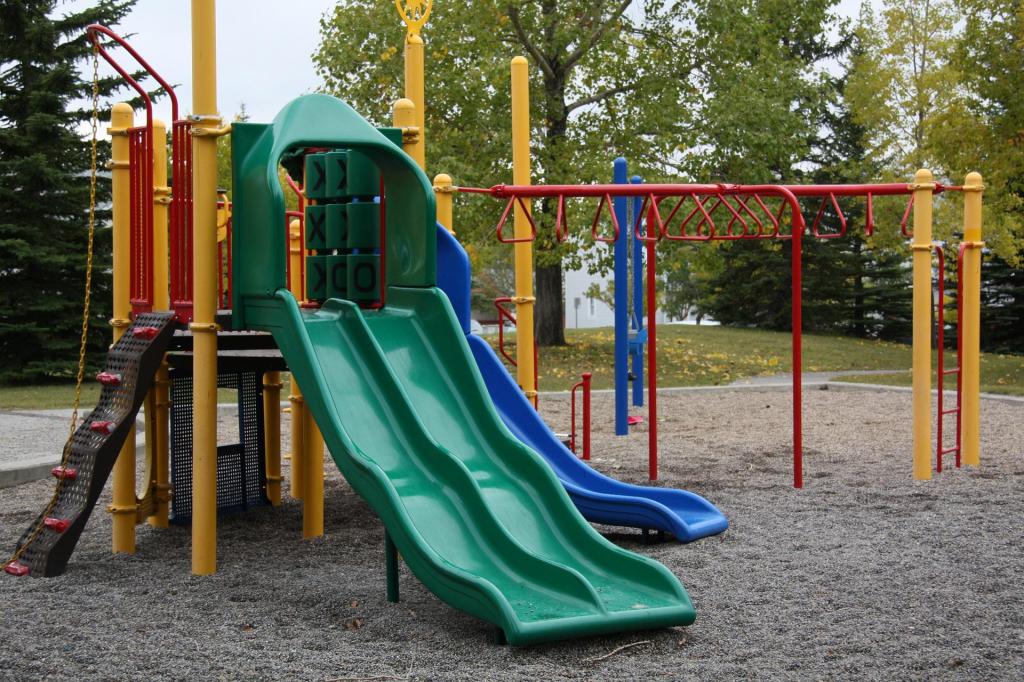
Mitra (2005) installed the kiosks in locations that were accessible and usually near a school or playground. While playgrounds are often thought to be a place for free time, free expression, and free learning, Arora (2010) explains that playgrounds were designed to be a controlled place where specific values could be instilled – an offering to replace less than desirable activities that might entice children. “…playgrounds were a manifestation of the benign dictatorship of adults over children” (p. 11). That’s interesting! I’ve always associated playgrounds with free time as well. This insight into the development of playgrounds reminds me of our discussions on modernization and the influence of politics and religion on culture and technology and vice versa. Though the playground seems like a place that is mainly free, there were ulterior motives in original intent, anyway. Perhaps the same can be said of the “free learning” available at the kiosk.
I still find the “hole in the wall’ experiments extremely fascinating and something to be considered in solving some education problems and inspiring further research into the ideas. However, I don’t think they provide all of the answers to some of the problems with education in these areas.
Arora, P. (2010). Hope-in-the-Wall? A digital promise for free learning. British Journal of Educational Technology, doi:10.1111/j.1467-8535.2010.01078.x
Mitra, S., Dangwal, R., Chatterjee, S., Jha, S., Bisht, R. S., & Kapur, P. (2005). Acquisition of computing literacy on shared public computers: Children and the “Hole in the Wall.” Australasian Journal of Educational Technology, 21(3), 407-426.
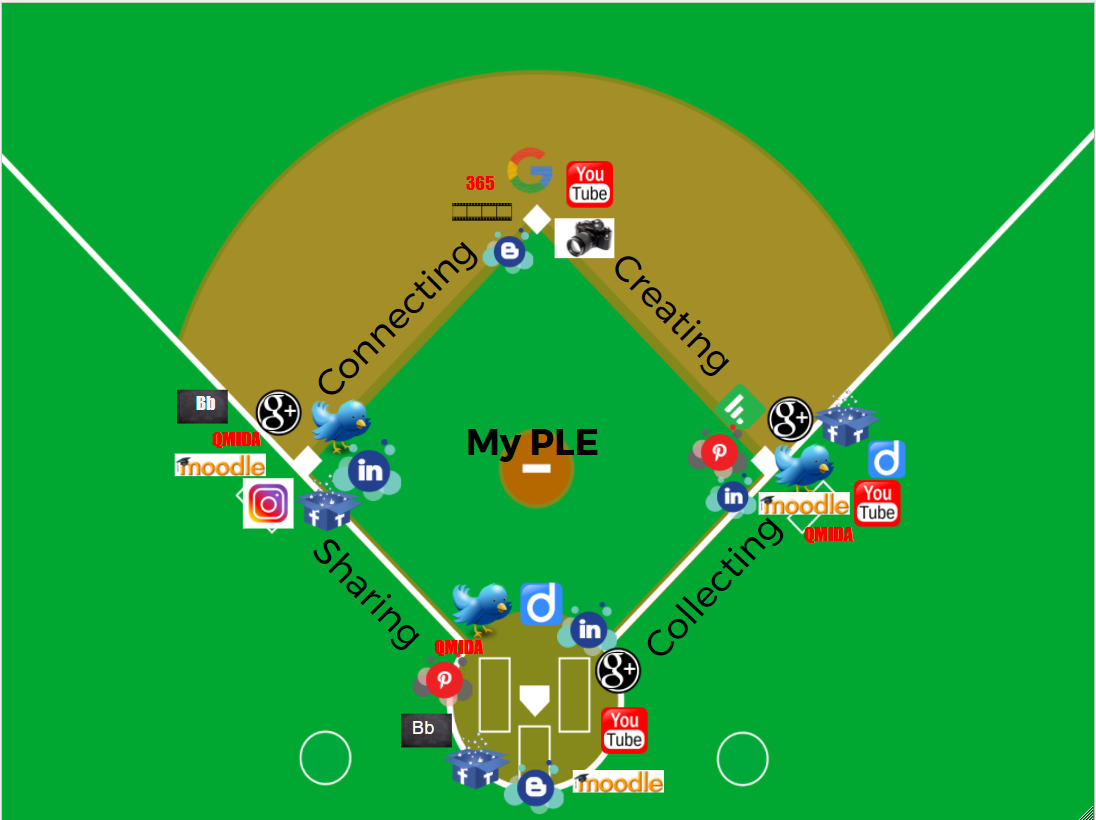
After logging in to some new online communities (two from Google +, one from Linked In, and one from Quality Matters) to my Personal Learning Environment (PLE), I created this diagram using Google Drawings. This was my first time using Google Drawings. It was very simple to use, and it was very easy to find and insert public domain images using this tool. I will be back for more!
After reading about the different models, I was torn between the 4 C’s model and the model with gathering, processing, and acting on learning. Really, they are very similar. I decided to use the four C’s, but I changed the wording a bit and went with the categories of collecting, creating, connecting, and sharing, and then I finally decided on a baseball theme as a metaphor for learning is fun, The design shows connections between the communities at the bases, as well as, along the base paths, and it illustrates the cyclical process of learning as you round the bases.
In looking at my PLE, the areas are pretty balanced and a number of the communities are used in multiple ways which is why it’s a little crowded around those bases. The creating section is more tools for creating things for myself and to share. What I learned in looking at the PLE is that I have a large learning environment. That makes sense since learner is my top strength according to the StrengthsQuest assessment that I’ve taken in the past. When I think about it, it seems as if I spend a little more time collecting than I do creating, connecting, and sharing. However, in my work as an instructional designer, I do more one on one connecting, creating items for courses, and sharing through the courses I’ve worked on and with instructors in the process of developing a course. In my time outside of work, I definitely do more collecting than the other areas, but it’s my goal to change that and bring more balance to my playing field.
Comparisons
In looking at each PLE diagram listed below, at first I was surprised how similar they are. After thinking about it more though, this is how we teach. Each of us chose basically the same categories, however there were some slight twists in wording. We had most communities in common and then a few outlying ones. Even when we had communities in common, they were categorized a bit differently in some cases which could be partly due to using them in different ways. It appears that I have a hard time making decisions – since many of communities are in multiple categories.



 Catalyst